Tasks
Tasks are the core unit of work in Neova. Each task is a living document where you define goals, agents contribute output, and decisions are captured over time.
Tasks are stored as individual JSON files in .neova/tasks/.
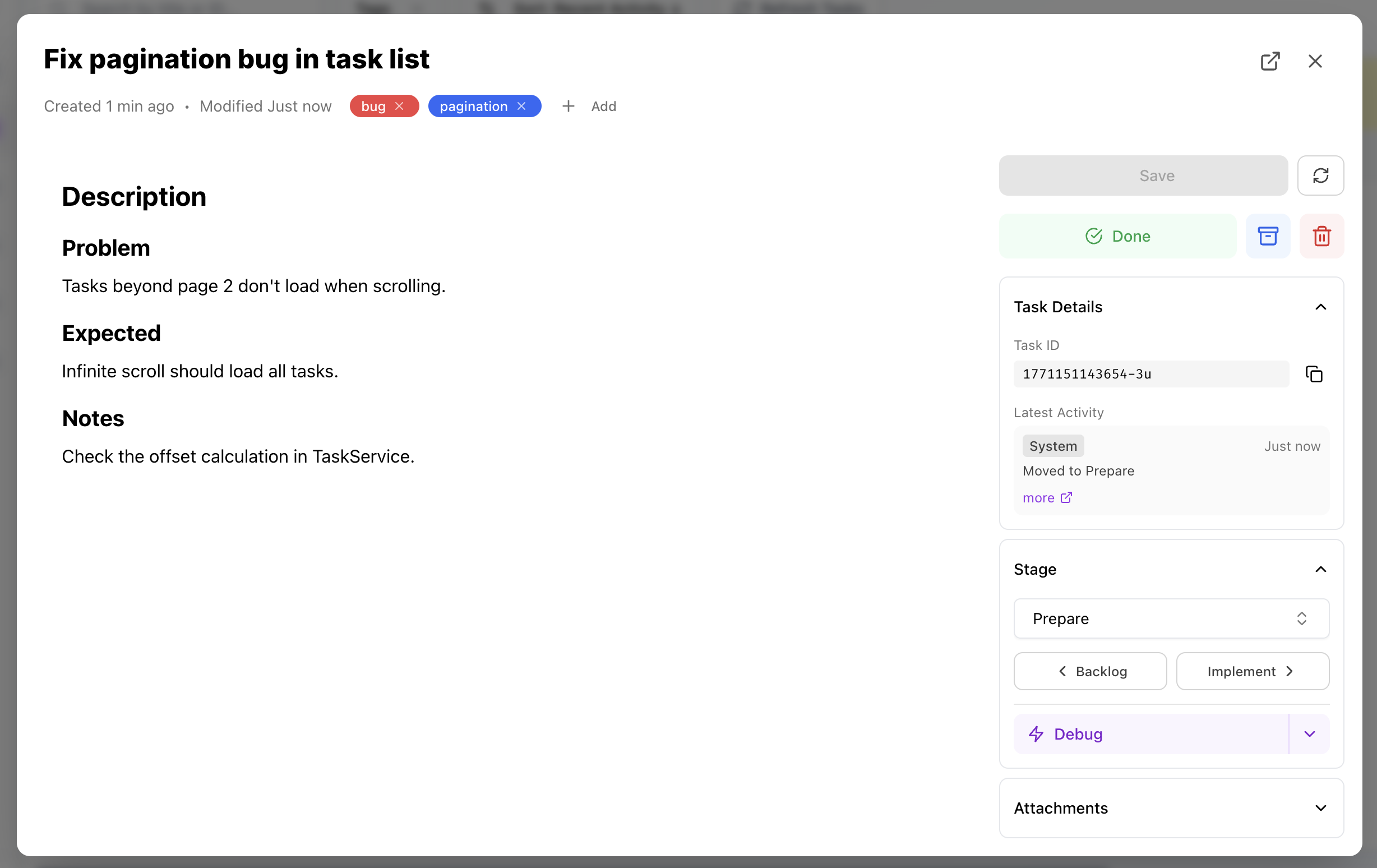
Accessing Tasks
Section titled “Accessing Tasks”Board View
Section titled “Board View”Click any task card on the board to open the Task Detail Panel — a modal overlay for quick edits without leaving the board.
Full Editor
Section titled “Full Editor”For longer tasks or focused work, open the Task Editor page:
- Click the expand icon in the Task Detail Panel
- Use keyboard shortcut
⌘Ewhile a task is open - Navigate via the sidebar
Task Fields
Section titled “Task Fields”| Field | Description |
|---|---|
id | Unique identifier. Format: {timestamp}-{2-char-random}. |
title | Task title. Displayed on cards and in the editor. |
description | Main content. Supports full Markdown. |
tags | Labels for filtering and organization. |
status | Either pending or completed. |
stage | Current workflow stage (e.g., “Backlog”, “Implement”). |
order | Sort position within the stage. |
createdAt | ISO timestamp when the task was created. |
updatedAt | ISO timestamp of last modification. |
history | Activity log of changes and agent interactions. |
attachments | Image attachments linked to the task. |
Markdown Editor
Section titled “Markdown Editor”The task description uses a rich Markdown editor with:
- Full Markdown support — headings, lists, code blocks, tables, links
- Live preview — see formatted output as you type
- Replacement fields — insert dynamic variables like
{{task.title}}or{{snippet.name}} - Syntax highlighting — for code blocks
- Keyboard shortcuts —
⌘Bbold,⌘Iitalic,⌘Klink
History Tracking
Section titled “History Tracking”Every task maintains an activity log in the history array. History entries capture:
| Field | Description |
|---|---|
timestamp | When the activity occurred (ISO string). |
source | Who made the change: system, agent name, or custom identifier. |
message | Description of what happened. |
History is visible in the Task Detail Panel and full Task Editor. It helps you track:
- When the task was created
- Agent interactions and updates
- Stage transitions
- Key decisions and milestones
Example history entry:
{ "timestamp": "2026-02-08T14:53:51.528Z", "source": "claude-code", "message": "Task created"}Attachments
Section titled “Attachments”Tasks support image attachments for screenshots, diagrams, and visual references.
| Field | Description |
|---|---|
id | Unique identifier for the attachment. |
filename | Display name (e.g., screenshot-task-title-1.png). |
path | Relative path from project root (stored in .neova/images/). |
mimeType | File type (image/png, image/jpeg). |
size | File size in bytes. |
addedAt | When the attachment was added. |
Add images by:
- Drag and drop onto the attachment area
- Paste from clipboard
- Click to browse
Tags help organize and filter tasks across the board.
- Add tags via the tag display or tag modal
- Tags are shared across all tasks in the project
- Custom colors can be assigned in
tag-colors.json
Status
Section titled “Status”Tasks have two statuses:
| Status | Description |
|---|---|
pending | Active task, still in progress. |
completed | Task is done. Stays visible on the board until archived. |
Toggle status with the Done / Reopen button in the Task Detail Panel.
Stage Activities
Section titled “Stage Activities”When a task is in a stage with assigned activities, those activities appear as action buttons. Each button:
- Renders the activity template with task context
- Copies the prompt to clipboard (or sends to agent terminal)
- Lets you quickly run structured workflows on the task
File Format
Section titled “File Format”Tasks are stored as JSON files in .neova/tasks/:
{ "id": "1770562431528-8h", "title": "Add user authentication", "description": "## Goal\n\nImplement JWT-based auth...", "tags": ["feature", "backend"], "status": "pending", "stage": "Implement", "order": 12, "createdAt": "2026-02-08T14:53:51.528Z", "updatedAt": "2026-02-10T09:21:33.000Z", "history": [ { "timestamp": "2026-02-08T14:53:51.528Z", "source": "system", "message": "Task created" } ], "attachments": []}Archived tasks are moved to .neova/tasks/archive/.