Introduction
You’re Already Using AI Agents. So Why Neova?
Section titled “You’re Already Using AI Agents. So Why Neova?”You’ve got Claude Code, Cursor, or another coding agent. It works. You prompt it, it writes code, you ship features. So why add another tool to your stack?
Here’s the thing: your agent is only as good as the context you give it.
Every time you start a new session, you’re back to square one. You re-explain your codebase. You re-state your conventions. You copy-paste from old chats. You manually track what’s done and what’s next. And when you switch between tasks, you lose the thread entirely.
This works — until it doesn’t. Until you realize you’ve spent more time managing the agent than working with it. Until the agent hallucinates because it didn’t have enough context. Until you can’t remember what you asked it to do last week, or why.
Neova fixes this.
What Neova Actually Does
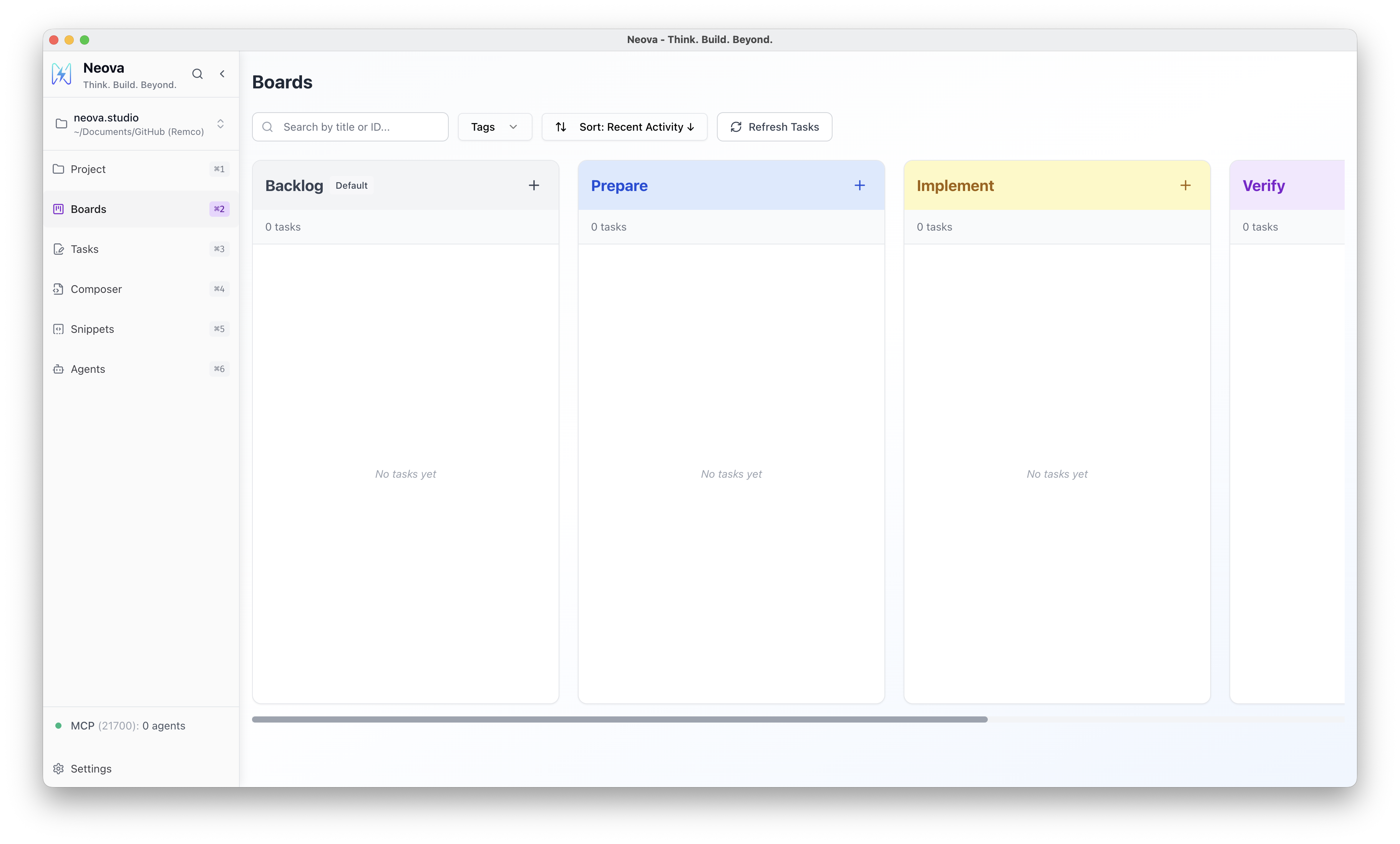
Section titled “What Neova Actually Does”Neova is a visual workflow tool that sits alongside your coding agents. It gives them persistent context, structured tasks, and reusable prompts — so you spend less time explaining and more time shipping.
Think of it as a project board designed for human-agent collaboration:
- You define the workflow: stages, templates, standards
- You create tasks with goals and requirements
- Agents pick up tasks, follow your templates, and write back their output
- Everything is saved, versioned, and ready for the next session
No more re-explaining. No more lost context. No more ad-hoc prompting.
The Real Problems You’re Facing
Section titled “The Real Problems You’re Facing”Even if your current setup “works,” you’re probably dealing with:
You Re-Write the Same Prompts Over and Over
Section titled “You Re-Write the Same Prompts Over and Over”“Follow our coding standards.” “Use TypeScript strict mode.” “Write tests for new functions.” “Check for security issues.”
You’ve typed these instructions dozens of times. Maybe you have a notes file somewhere. Maybe you copy from old chat logs. But every time, it’s manual. Every time, you might forget something.
With Neova: You write prompt templates once. They include your standards, your conventions, your checklists. Every task gets the same quality input — automatically.
Context Dies When Sessions End
Section titled “Context Dies When Sessions End”Your agent built up an understanding of the task over 30 minutes of back-and-forth. Then the session ended. Tomorrow, you start from scratch.
With Neova: Tasks are persistent documents. The goal, the discussion, the agent’s output — it’s all saved. Pick up exactly where you left off, or hand the task to a different agent entirely.
You Can’t Run Multiple Workstreams
Section titled “You Can’t Run Multiple Workstreams”You want to debug one issue while implementing a feature while reviewing a PR. But your agent can only focus on one thing at a time, and switching contexts means losing everything.
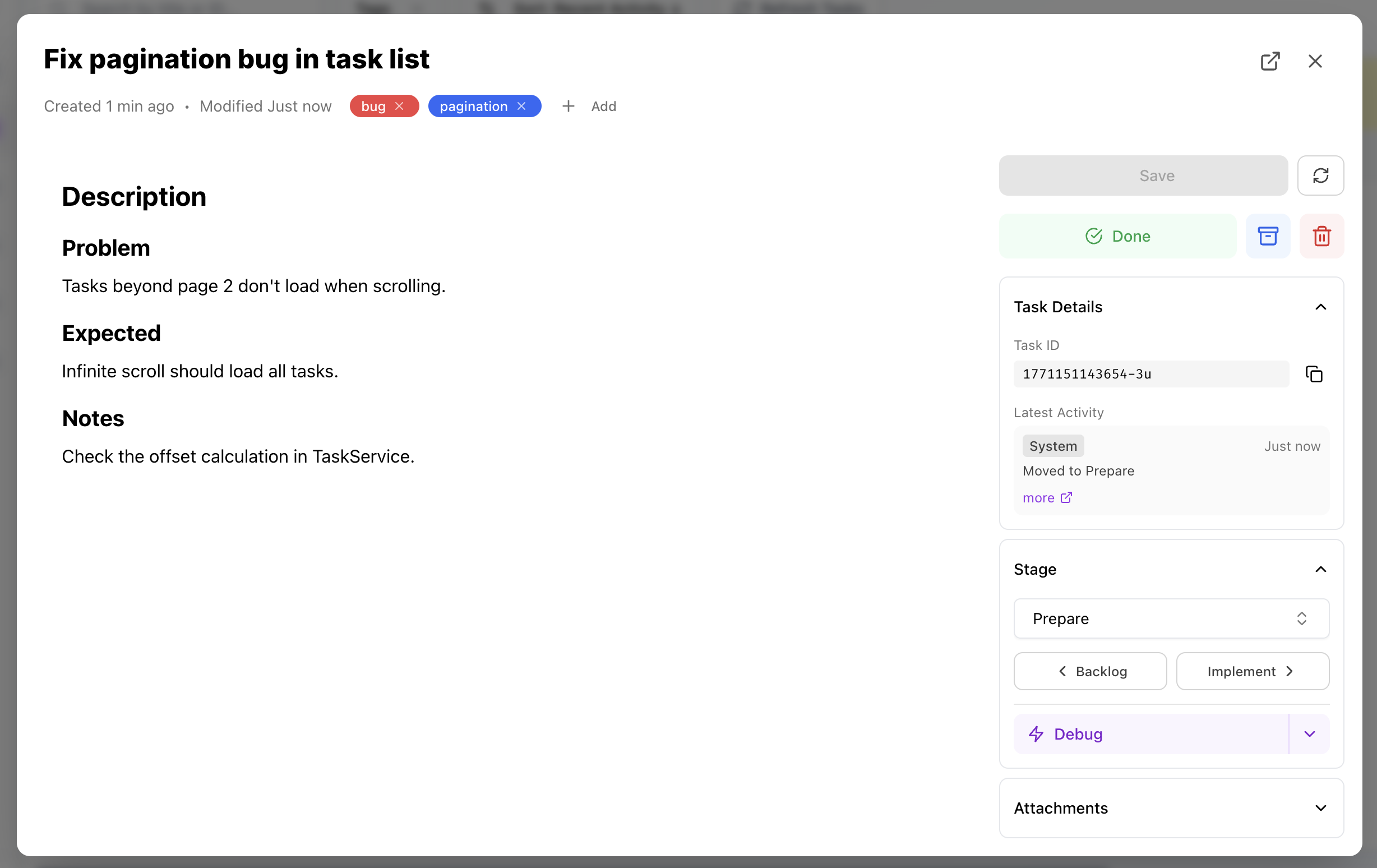
With Neova: Each task is independent. Run multiple agents on different tasks. See all your work in one visual board. Move tasks through stages as they progress.
Quality Is Inconsistent
Section titled “Quality Is Inconsistent”Sometimes your agent nails it. Sometimes it goes completely off-track. The difference? How much context you happened to provide that day.
With Neova: Standardize the input, standardize the output. Templates ensure every task starts with the right context, the right instructions, the right constraints.
Nothing Is Tracked
Section titled “Nothing Is Tracked”What did you ship last week? What’s still in progress? What did the agent suggest that you never followed up on?
With Neova: Everything is visible on the board. Every task has a history. Every decision is documented. And because it’s all stored as files in your repo, you can commit it, branch it, and review it — just like code.
How It Works
Section titled “How It Works”1. Define Your Workflow
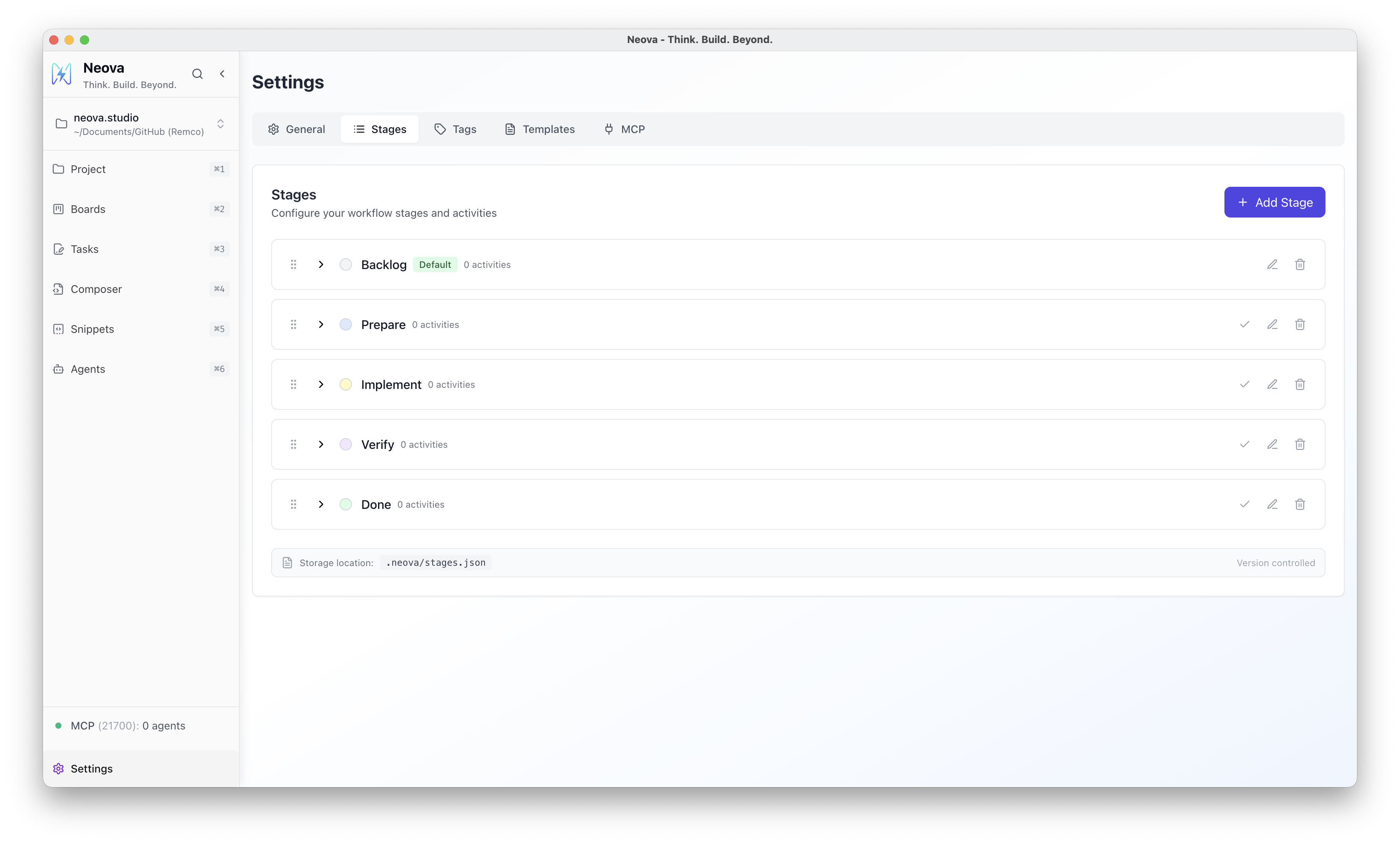
Section titled “1. Define Your Workflow”Set up stages that match how you work: Backlog → Prepare → Implement → Verify → Done. Or whatever fits your process.
2. Create Prompt Templates
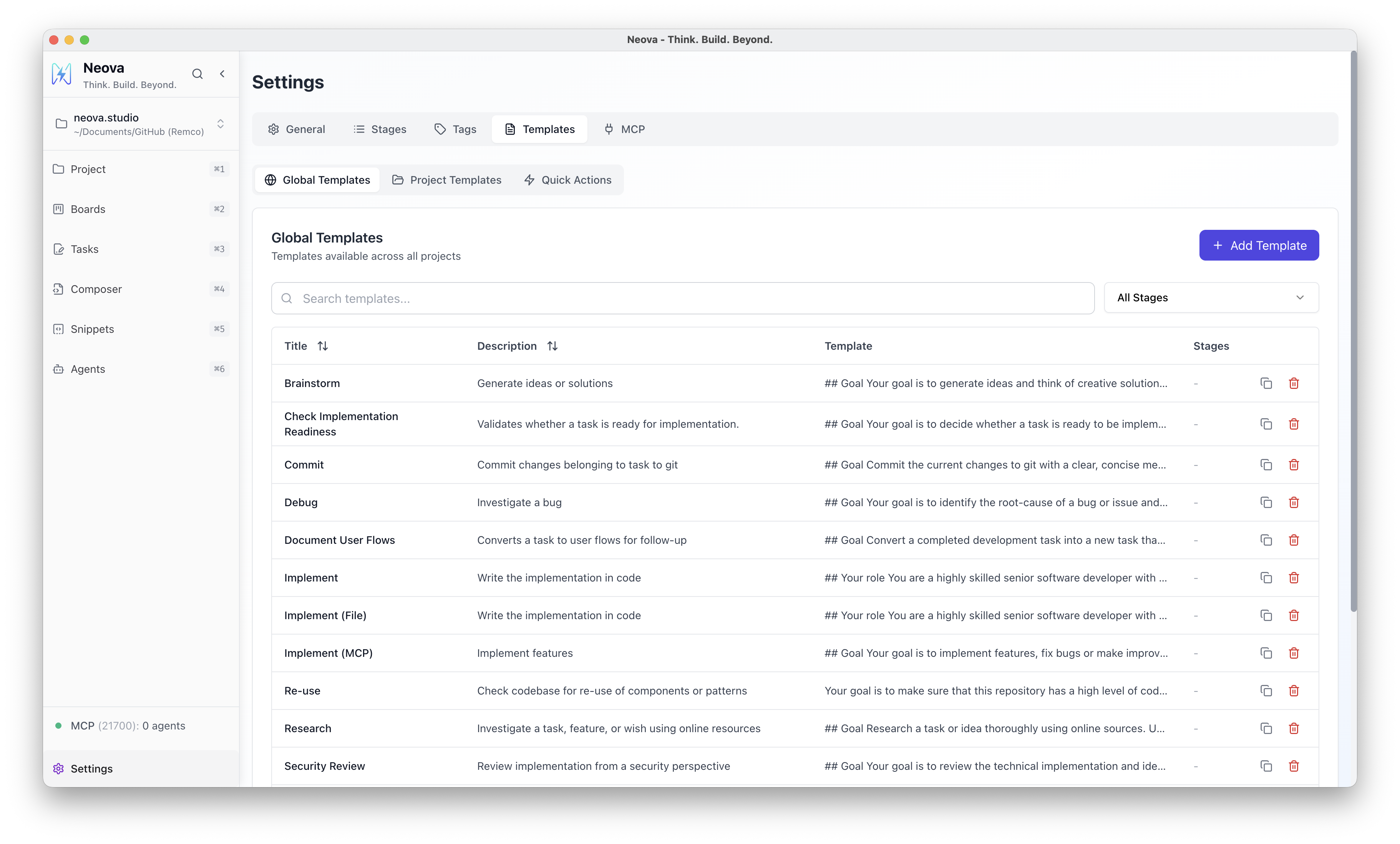
Section titled “2. Create Prompt Templates”Build reusable templates for common activities: debugging, implementation, code review, testing. Include your standards, checklists, and conventions. Add placeholder fields that pull in task-specific context automatically.
3. Work Through Tasks
Section titled “3. Work Through Tasks”Create tasks on your board. When you’re ready to work on one, select an activity — the template renders with all the context filled in. Copy it to your agent and go.
4. Capture the Output
Section titled “4. Capture the Output”As you work, the task becomes a living document. Add the agent’s output, your decisions, follow-up notes. Everything is preserved for next time.
Works With Any Agent
Section titled “Works With Any Agent”Neova stores everything as plain files in your project folder. Any agent that can read files can use it.
For deeper integration, Neova includes a built-in MCP server. Connect Claude Code, Cursor, Windsurf, or any MCP-compatible agent directly to your board. Agents can read tasks, update progress, and follow your workflows automatically.
Supported agents:
- Claude Code
- Cursor
- Windsurf
- Any MCP-compatible agent
- Any agent that can read files from your repository
100% Local, 100% Yours
Section titled “100% Local, 100% Yours”Neova stores everything in a .neova/ folder inside your project:
- No cloud sync
- No external database
- No telemetry
- Full version control with Git
Your data never leaves your machine. Commit your tasks and templates alongside your code. Branch them, merge them, review them — just like everything else in your repo.
Next Steps
Section titled “Next Steps”Ready to try it? The Quick Start guide will have you up and running in 5 minutes.